Error metrics in the dashboard

You can now see error metrics in the dashboard to quickly understand what errors are happening and how often.

Changelog 1 min read

Written by

Dmytro Krasun

Published on

We have added a new error metrics widget to the dashboard that shows you the errors happening with your rendering requests.

The widget displays:

  1. Total number of errors for the selected time period (last 24 hours, 7 days, 15 days, or 30 days).
  2. Each error with its title, count, and percentage.
  3. Detailed tooltips with error descriptions, HTTP status codes, and links to documentation.
  4. Quick access to logs by clicking on any error.

The errors are sorted by count, so you can quickly see the most common errors and take action:
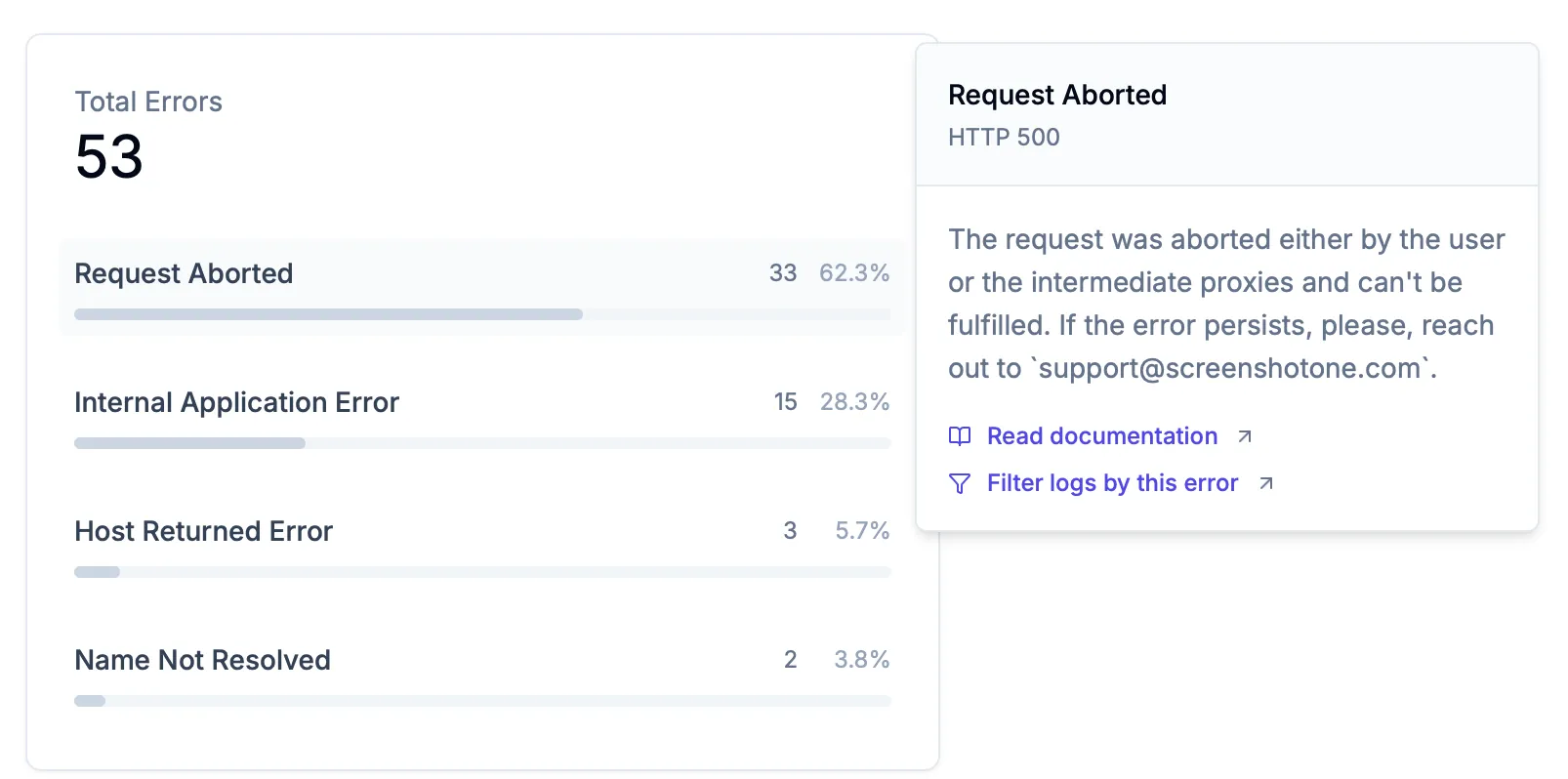
A screenshot of the new error metrics widget

If you have any questions, suggestions, or feedback, please contact us.

Read more product updates

New features, bug fixes, and optimizations...

View all product updates
Improved blocking of cookie banners

Improved blocking of cookie banners

We just released an updated version of our algorithm to block cookie banners by heuristics.

Read more

1 min read

Navigate Pages when recording Scrolling Screenshots

Navigate Pages when recording Scrolling Screenshots

You can record a page navigation when recording scrolling screenshot video. It allows render less boring and more engaging videos.

Read more

1 min read

Fail rendering if the content is missing a string

Fail rendering if the content is missing a string

There is a set of use cases when you want to fail screenshot rendering and retry it if the content of the page is missing a string.

Read more

1 min read

Automate website screenshots

Exhaustive documentation, ready SDKs, no-code tools, and other automation to help you render website screenshots and outsource all the boring work related to that to us.