Multiple notification recipients

Add multiple dedicated email recipients for usage limit notifications.

Changelog 1 min read

Written by

Dmytro Krasun

Published on

You can now add multiple notification recipients in the ScreenshotOne dashboard.
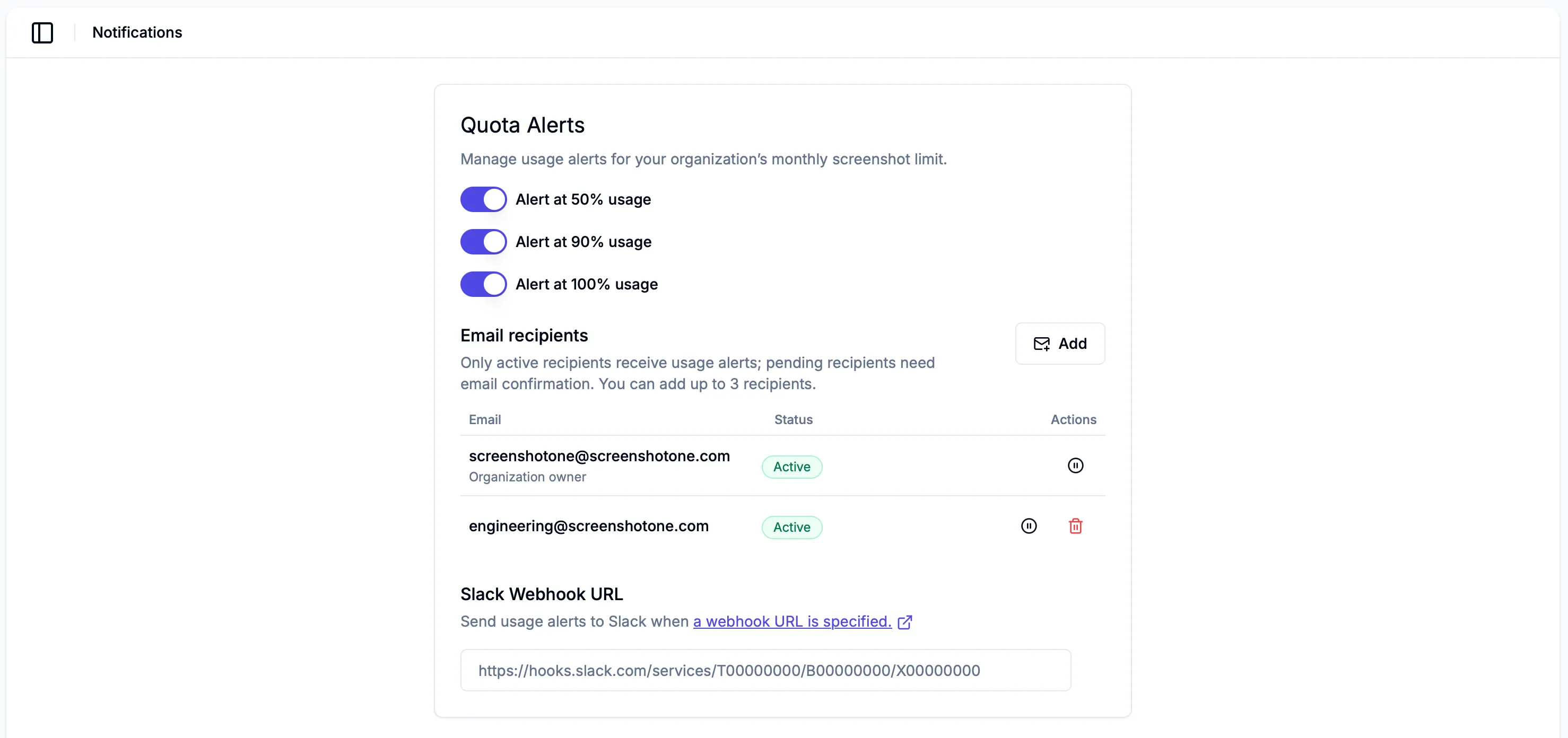
Multiple notification recipients

The organization owner is still included by default, but admins can add dedicated recipients such as engineering, support, or alerts inboxes without giving those addresses dashboard access.

Custom email recipients must confirm their email address before they receive usage limit notifications. Existing verified organization users can be added as active recipients right away.

Open notification settings or read the notifications documentation.
Read more product updates

New features, bug fixes, and optimizations...

View all product updates
Available in Context7

Available in Context7

ScreenshotOne documentation is now available in Context7.

Read more

1 min read

Control scrolling into view when taking screenshots by selector

Control scrolling into view when taking screenshots by selector

You can now control scrolling into view when taking screenshots by selector. It allows render more accurate screenshots.

Read more

1 min read

Improved the behavior and stability of the "scroll_into_view" option

Improved the behavior and stability of the "scroll_into_view" option

Before the change, there was a subset of cases when the rendering requests were failing when using the scroll_into_view option. Now, it is improved and will make rendering more stable.

Read more

1 min read

Automate website screenshots

Exhaustive documentation, ready SDKs, no-code tools, and other automation to help you render website screenshots and outsource all the boring work related to that to us.