Transfer organization ownership

From today, you can transfer organization ownership to another user.

Changelog 1 min read

Written by

Dmytro Krasun

Published on

In ScreenshotOne, currently organization can have only one owner, and other roles are developers.

Owner can invite members and manage billing, while developer can only manage API keys, check out logs and other resources that allows to integrate and develop with ScreenshotOne API.

But due to many requests, we added a new feature that allows to transfer organization ownership to another user.

To transfer ownership, you need to go to the organization settings in the ScreenshotOne Dashboard and click on the “Transfer ownership” button:
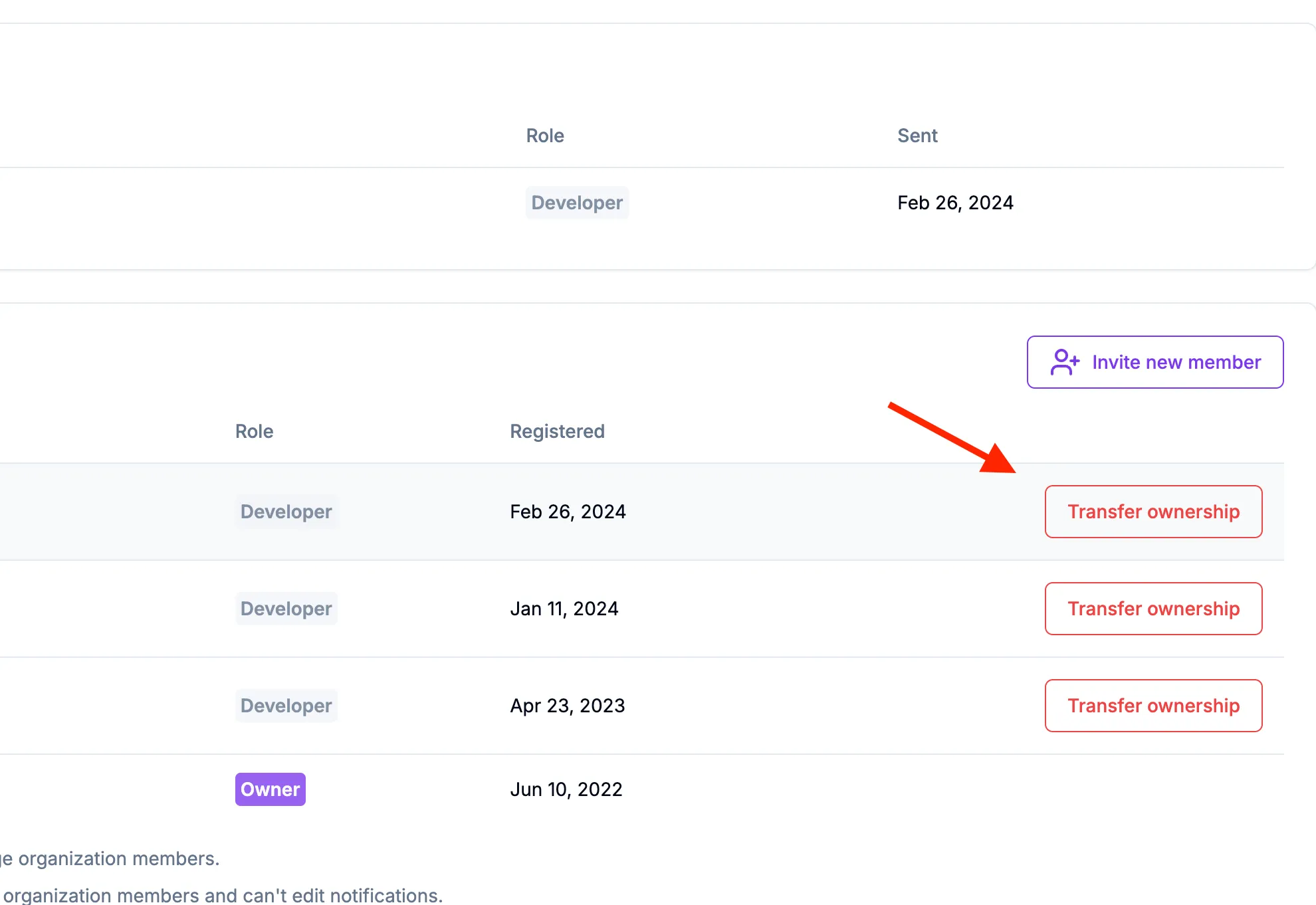
Transfer ownership

That action is irreversible and will transfer ownership to the selected user.

If you have any questions or suggestions, please, contact us at support@screenshotone.com.
Read more product updates

New features, bug fixes, and optimizations...

View all product updates
Better numbers formatting in the dashboard

Better numbers formatting in the dashboard

We improve UI/UX of rendering numbers in the dashboard for better readability.

Read more

1 min read

Stop scrolling screenshots when a given selector is visible

Stop scrolling screenshots when a given selector is visible

New options were added to the ScreenshotOne API to stop scrolling screenshots when a given selector is reached.

Read more

1 min read

A Simple Website Screenshot Tool by ScreenshotOne

A Simple Website Screenshot Tool by ScreenshotOne

A few words about why to launch yet another website screenshotting tool.

Read more

1 min read

Automate website screenshots

Exhaustive documentation, ready SDKs, no-code tools, and other automation to help you render website screenshots and outsource all the boring work related to that to us.